Screenshot Editor
Annotate, crop and cover details locally, then export a clean screenshot or request an exact AI interface edit.
Opening screenshot editor…
Nano Banana 2 · Review your settings and credit quote
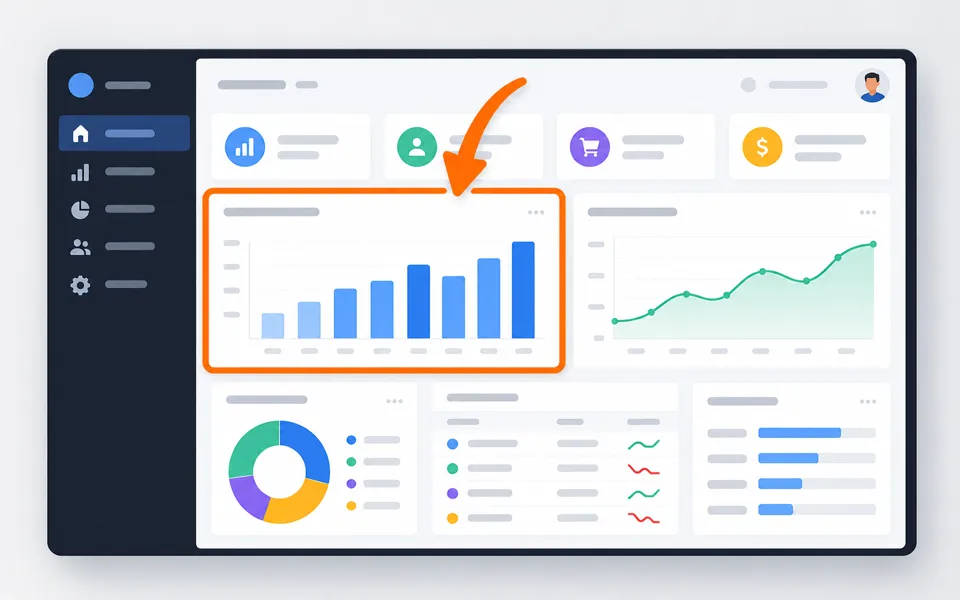
Explain a screenshot without changing its details
- 01
Open your screenshot
Choose, drop or paste a PNG, JPG or WebP into the free local editor. Keep the original pixels or crop the area you need.
- 02
Point out what matters
Draw arrows, shapes, text and numbered steps. Move and resize each item, adjust its color, or use a solid cover to hide private information.
- 03
Share an image or save your work
Export a flattened PNG, JPG or WebP, or copy a PNG. Save an editable project to return to your original screenshot and layers later.
See where your idea can go.
Annotate, crop and cover details locally, then export a clean screenshot or request an exact AI interface edit.
Add the requested inputs and use the quote to review the available settings before starting.
Explore related toolsFrequently asked questions
Clear policies on free channels, device privacy and file retention.
Read full product facts- Does editing a screenshot use credits?
- The local annotation editor and downloads are free. AI changes are a separate workflow: select a screenshot, describe the target and exact change, then review the credit quote.
- Which file should I share after hiding information?
- Use Solid cover and export an image. Blur and mosaic only obscure details. Editable project files include the original screenshot, so keep those private.
- Can AI change text or a button?
- The AI form supports text changes, cleanup, interface changes and restyling. It asks to preserve unrelated details. Generated text and interface fidelity still need your review.
- Will my local edits be saved automatically?
- They stay in the current tab until you leave or change accounts. Download an editable project to preserve them; open it here when you want to continue.
- How do pricing and file retention work?
- The server confirms the credit quote before you submit. Available specifications and credits are shown in the creator. See Pricing for monthly and annual subscriptions. Reference images upload when you prepare an AI task. Guest results expire after one hour; signed-in creations are retained for 30 days. Download what you want to keep.