AI Site Plan Generator
Turn a sketch or a written brief into a concept site plan. Set circulation, features to preserve, drawing style and annotations before reviewing your quote.
Nano Banana 2 · Review your settings and credit quote
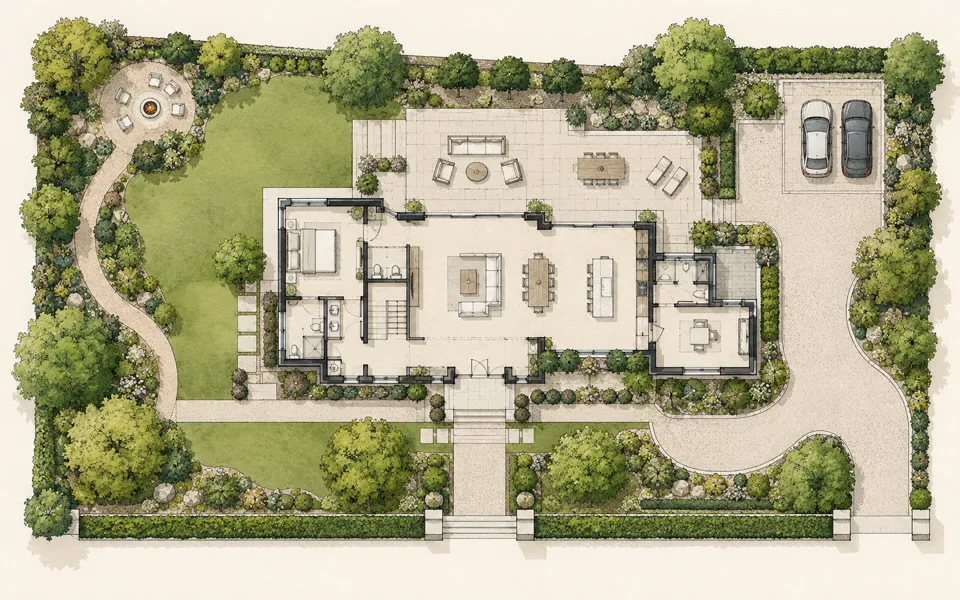
Develop a concept plan for your site
- 01
Choose your starting point
Upload a top-down sketch or existing plan, or describe the site, buildings, routes and open areas in a written brief.
- 02
Set the drawing direction
Choose a drawing style and describe the entrances, features to preserve and known dimensions. You can add a legend and set north when you know its direction.
- 03
Review and refine
Review the brief and credit quote. For an image start, compare the result with the base plan. Download the image, save the brief or refine the selected result.
See where your idea can go.
Turn a sketch or a written brief into a concept site plan. Set circulation, features to preserve, drawing style and annotations before reviewing your quote.
Add the requested inputs and use the quote to review the available settings before starting.
Explore related toolsFrequently asked questions
Clear policies on free channels, device privacy and file retention.
Read full product facts- What kind of source image should I use?
- Start with a clear top-down sketch or image of the whole plan. Export a readable PNG, JPEG or WebP from your drawing software if needed.
- How are dimensions handled?
- Label known dimensions asks the model to use the values and units you provide or that are legible on the base plan. Verify the placement and numbers against the original before using them.
- What does Keep the base layout do?
- It asks the model to keep the drawn footprints, routes and preserved features in position. Explore a new arrangement allows alternatives inside the existing boundary. Compare the generated concept with the original to confirm the layout.
- What files can I download?
- Download the generated concept image and a JSON brief containing the written direction. An image start also offers a side-by-side comparison PNG when the base plan is available.
- How do pricing and file retention work?
- The server confirms the credit quote before you submit. Available specifications and credits are shown in the creator. See Pricing for monthly and annual subscriptions. Reference images upload when you prepare an AI task. Guest results expire after one hour; signed-in creations are retained for 30 days. Download what you want to keep.