Photo to Sketch
Create a graphite pencil sketch with visible paper texture from a photo or a written idea.
Nano Banana 2 · Review your settings and credit quote

Guide a pencil sketch with your own photo
- 01
Choose a clear source photo
Switch to photo input and add an image with a visible subject and useful light-and-shadow detail. Select a model that supports image references.
- 02
Specify the drawing technique
Try: graphite pencil on textured ivory paper, fine cross-hatching, preserving the pose and composition. Confirm the supported output settings and credit quote.
- 03
Inspect contours and shading
Check facial outlines, hands and important objects. Ask for lighter shading, stronger outlines or simpler background detail in the next version.
See photo to sketch in action.
Create a graphite pencil sketch with visible paper texture from a photo or a written idea.
Add the requested inputs and use the quote to review the available settings before starting.
Explore related tools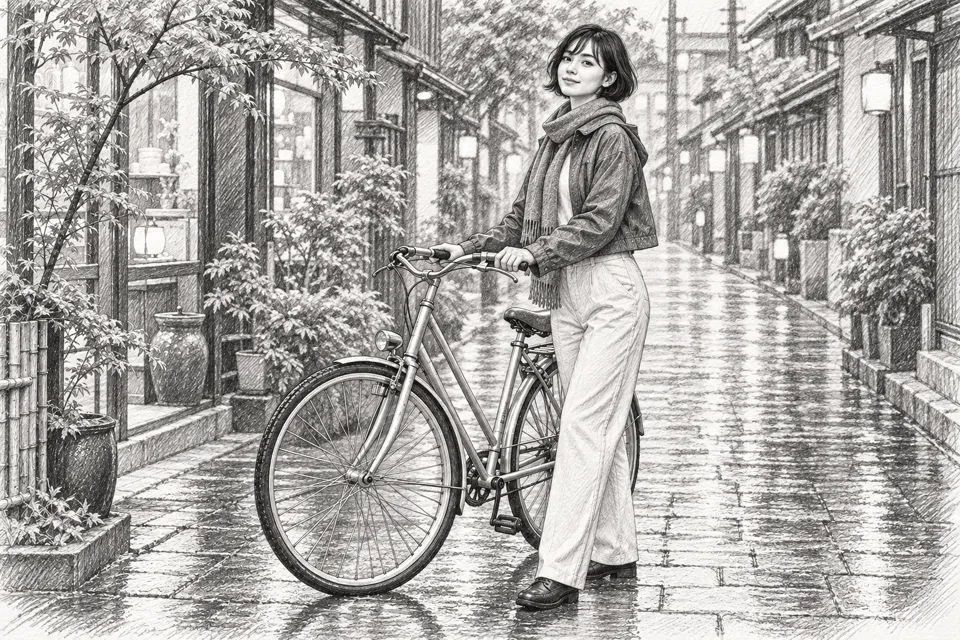

Frequently asked questions
Clear policies on free channels, device privacy and file retention.
Read full product facts- What kind of photo converts well into a sketch?
- A sharp photo with a distinct subject and clear lighting gives useful contours. Low contrast or busy backgrounds may need a simpler prompt or a tighter source crop.
- Can I choose pencil, charcoal or ink?
- Describe the medium, line weight and shading. The selected AI model interprets that direction, so the result can differ between settings and models.
- Will the sketch copy every line of my photo?
- The photo guides an AI interpretation. Check fine details and describe the features or composition you want to preserve.
- Do I receive editable vector lines?
- The result is an image. The tool does not guarantee editable paths, a layered drawing file or a tracing suitable for technical measurement.
- How do pricing and file retention work?
- The server confirms the credit quote before you submit. Available specifications and credits are shown in the creator. See Pricing for monthly and annual subscriptions. Reference images upload when you prepare an AI task. Guest results expire after one hour; signed-in creations are retained for 30 days. Download what you want to keep.